Hello Million Dollar Script Community!
I wanted to post another update on MDS3 because I've been spending a lot of time on the rewrite again and it's finally starting to feel like a real WordPress plugin instead of just a pile of experiments. It's taken longer than I hoped, as usual, but a lot of the work lately has been about turning the pieces into something that can actually be installed, configured, migrated into, and extended.
This isn't a release announcement yet and I don't have a release date to give right now. I don't want to call MDS3 done until the setup flow, migration, extensions, and old MDS2 feature parity are in much better shape. But it's far enough along now that I thought it was worth sharing some screenshots and explaining what has been happening.
You can click the screenshots below to open them larger and browse through them.
Setup, WooCommerce, and migration
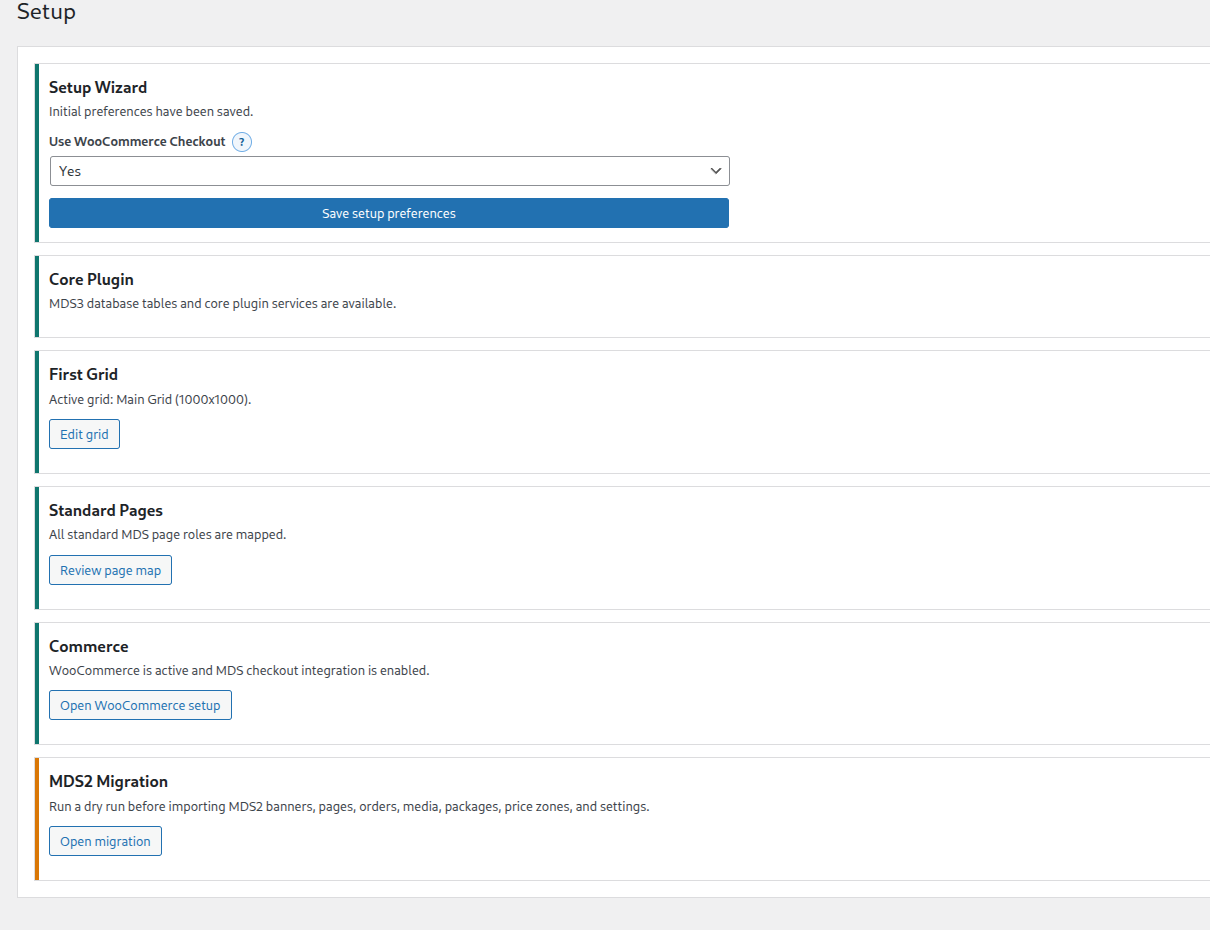
One of the bigger changes is that MDS3 now has a setup screen instead of making you hunt around the plugin to figure out what still needs to be configured. It checks the core plugin tables, the first grid, standard pages, WooCommerce integration, and the MDS2 migration path. WooCommerce doesn't have to be enabled by default, but if it is installed then MDS can offer to use it and follow the WooCommerce setup first.
Cleaner settings
I've also been reworking the settings screens. The settings are now split into tabs, with the related options stacked vertically so they are easier to scan. Currency is one of the areas that needed special handling: when WooCommerce integration is enabled, MDS should use the WooCommerce currency and symbol instead of letting the same thing be configured in two different places.
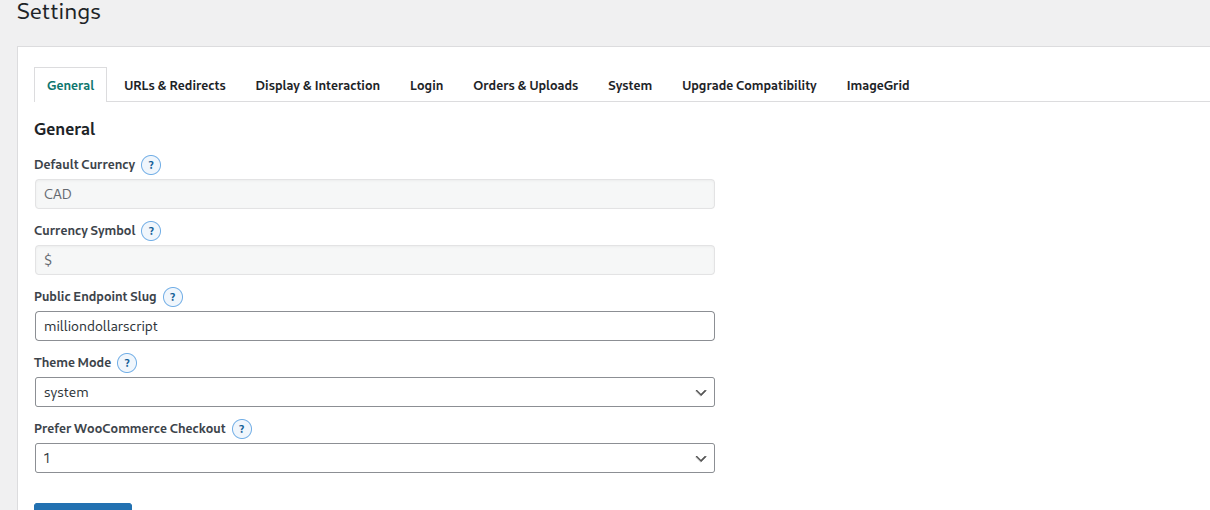
I've also added inline help buttons beside the settings. These are the little question mark buttons, and they are meant to explain the setting without taking over the whole page. They still need more copy as the settings audit continues, but the framework for it is in place now.
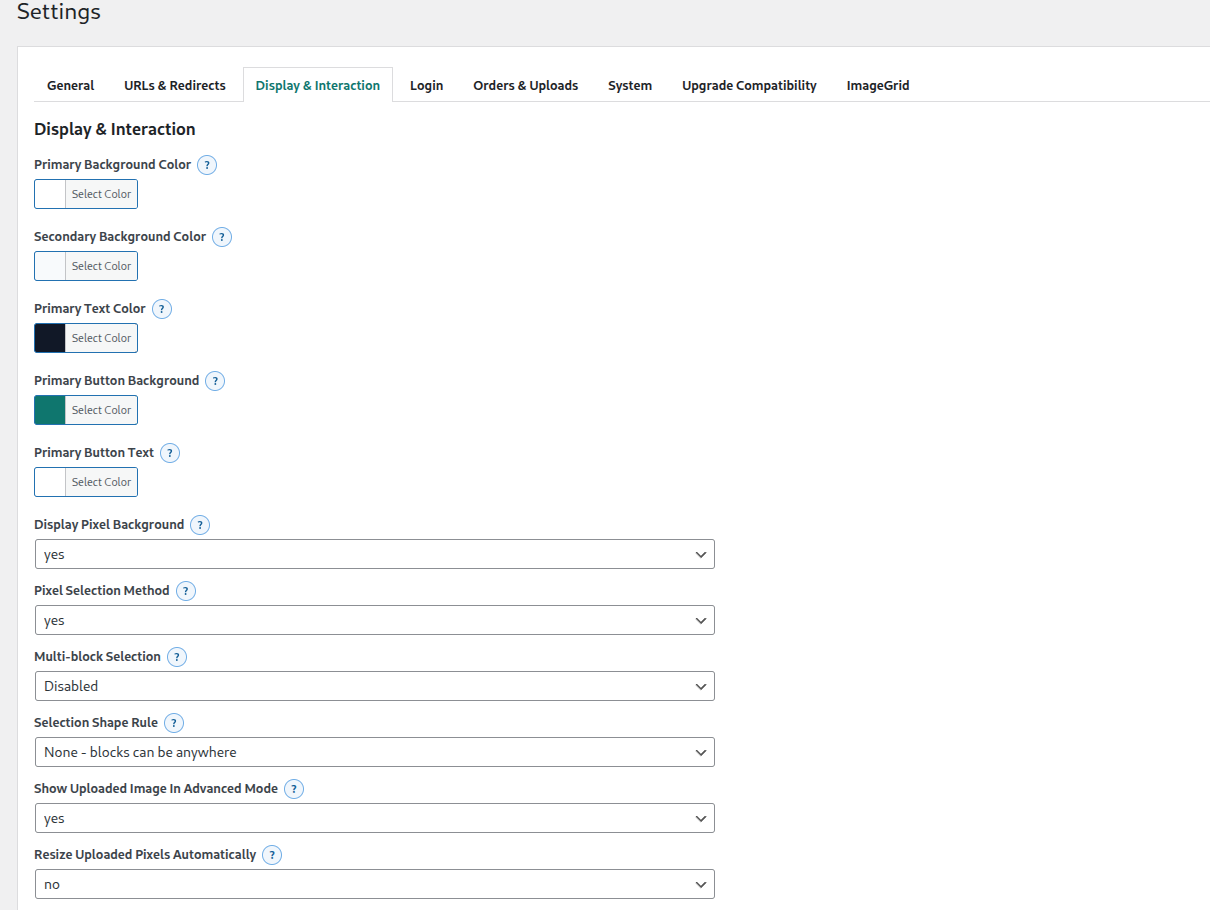
All the color options are being moved to proper color pickers too. There's still more to audit from MDS2, but the goal is to make the settings feel like a normal WordPress plugin instead of a port of an old admin panel.
Grid editing
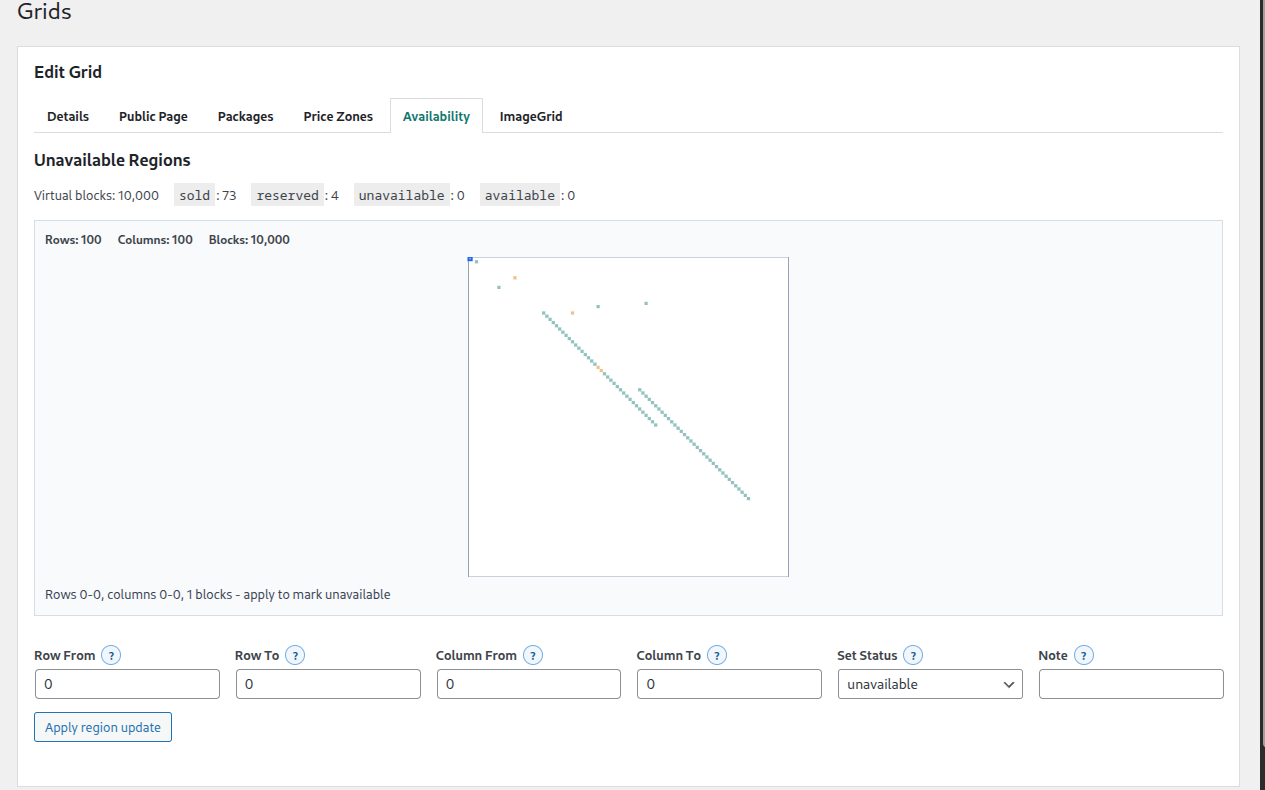
The Edit Grid screen has started moving toward the same tabbed layout as Settings. The grid details, public page, packages, price zones, availability, and extension-owned settings can live in their own sections instead of all being mixed together.
I've also been working on Availability, including unavailable regions. This is the feature that was previously known as NFS or Not For Sale in MDS2. The first pass works, but it needs more polish so large updates save faster and it is easier to make a marked region available again. That is one of the areas I still want to improve before calling this finished.
Orders and guest uploads
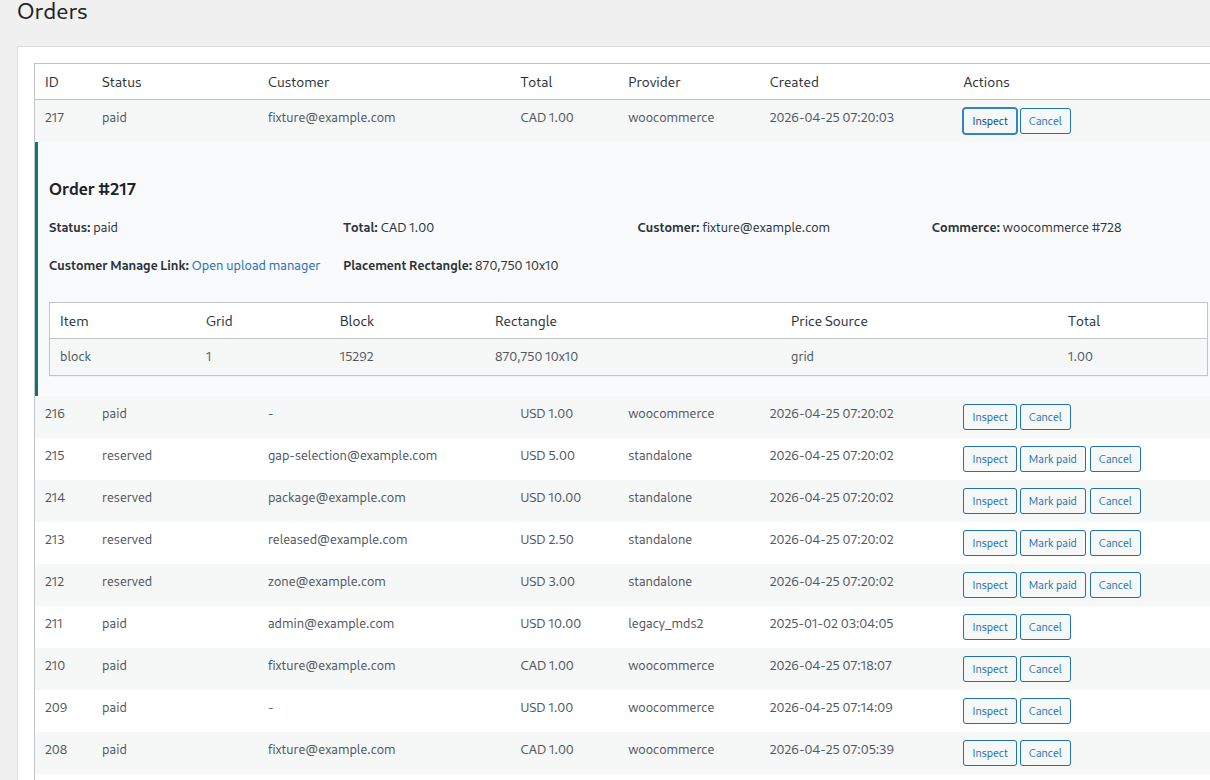
The orders screen now has inline inspection instead of bouncing you around to a separate page for every detail. I'm trying to keep the admin area practical and fast, since this is the kind of screen you might have open all the time while running a pixel ad site.
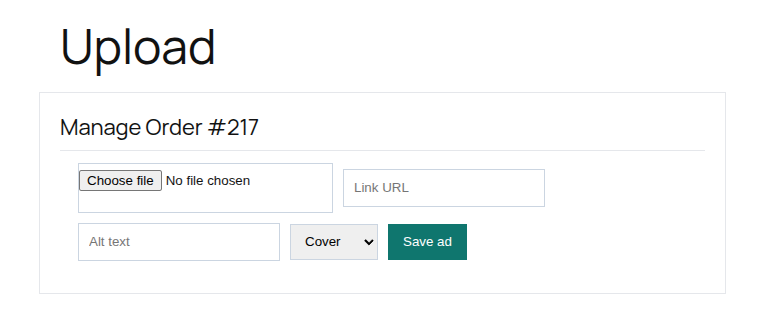
Another useful addition is the upload manager for guest orders. A customer can come back with a secure order link and update their image, destination URL, alt text, and fit mode without needing a WordPress account. The URL handling has also been improved so typing a plain domain can be normalized to HTTPS instead of making people type the whole thing every time.
The frontend grid
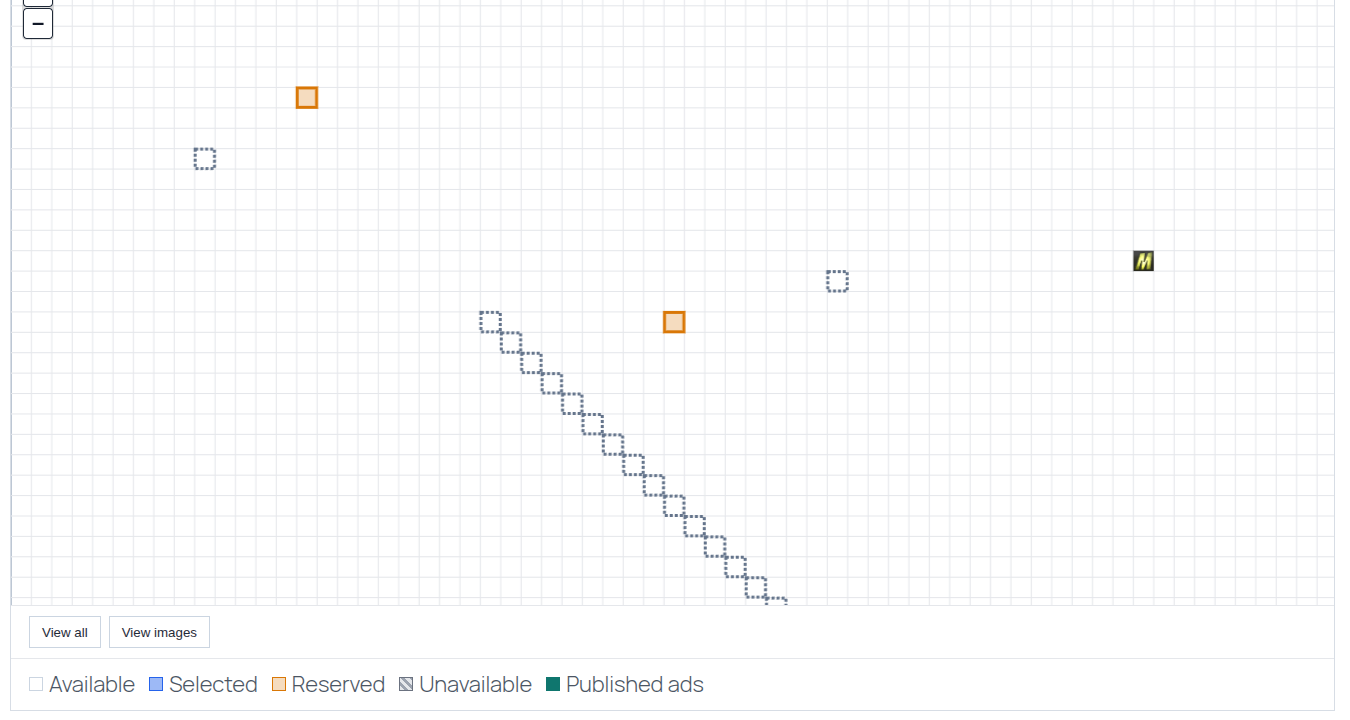
The frontend grid is using a newer renderer with zoom controls, a legend, image popovers, and better selected/reserved/unavailable states. The important part is that uploaded images should only show in the blocks that were actually purchased. If someone selects two blocks with a gap between them, the image should not fill the gap.
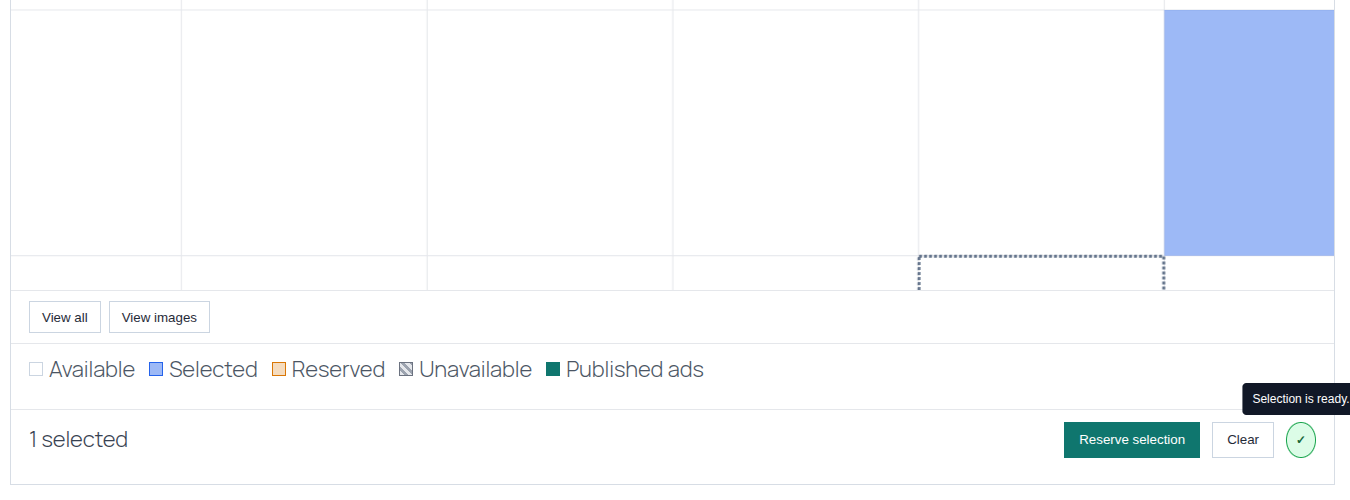
I've also been adding the MDS2-style block selection rules back in: adjacency required, rectangle or square required, or no shape restriction. The reserve button can be disabled until the selection is valid, and the little status indicator can explain what is wrong or confirm that the selection is ready.
Extensions
MDS3 is being built so extensions can hook into the admin area properly. For example, the ImageGrid tab shouldn't be hard-coded into the core plugin. It should appear when the ImageGrid extension is installed and let the extension save and filter its own settings. That's the direction the extension system is moving now.
ImageGrid is another project I'm planning to launch as well, and the imagegrid.dev site is not public yet. The idea is to make it possible for MDS sites to use much larger grids by rendering them as authenticated image tiles, somewhat like how map software loads only the pieces it needs. Large grids have been one of the things people have asked about over the years, and doing that well needs a different rendering approach than just putting one giant image or table on a page.
The screenshot below is from the local development integration. It is not a public signup screen yet, but it shows the direction: MDS3 can connect to ImageGrid, ask it to render a grid, and then use the generated tiles for very large zoomable grids.
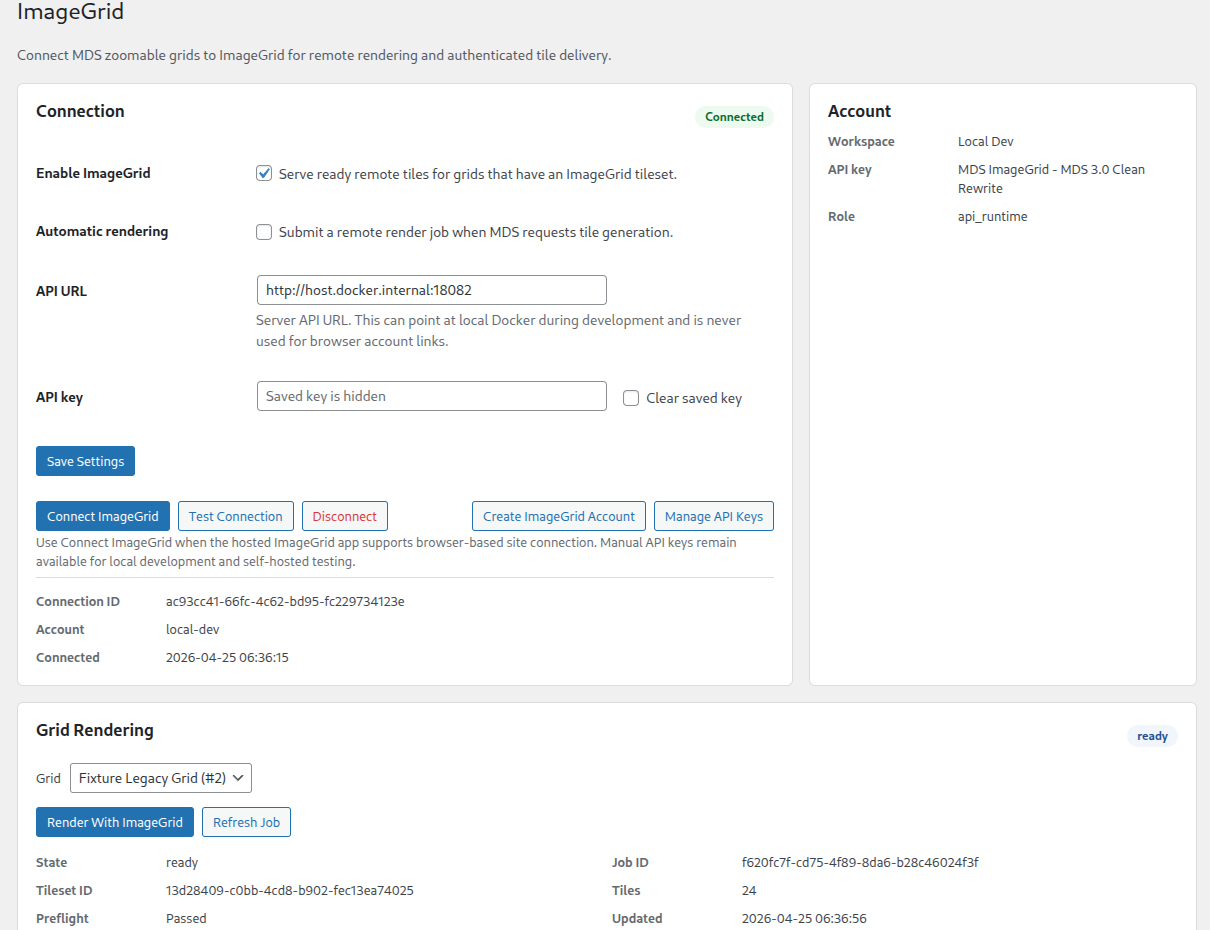
There's also more work happening around the extension server, local development mode, update checks, and license management. I want that to work more like the old MDS2 extension flow, but without bringing over the old Carbon Fields approach or the older code structure.
What still needs to be done
The short version is that MDS3 is much more complete than it was, but there's still a lot left before I would want people using it on a live site.
- Finish the full MDS2 settings parity audit.
- Make the setup wizard more complete and friendlier for first installs.
- Keep improving the grid editor, especially Availability / unavailable regions, price zones, and packages.
- Finish the ImageGrid generated tile integration on the frontend and prepare the imagegrid.dev launch.
- Rewrite the translation extension for the new plugin.
- Finish the rest of the planned extensions and make sure the extension server, updates, and licenses work cleanly.
- Keep doing security and validation passes across forms, uploads, orders, and admin tools.
- Keep testing migration from MDS2 so old sites have a realistic path forward.
I know MDS3 has been a long time coming. I would rather be careful with it than rush out another half-finished rewrite. The good news is that the plugin is a lot more real now, and I am going to keep pushing through the remaining pieces.
If you run a large grid, have questions, have suggestions, or have something specific from MDS2 that you depend on and want to make sure does not get missed, feel free to contact me or post in the Discord.
Ryan